
Benefits Of Website Accessibility For School Websites
School websites are no longer just online notice boards. They are where families enroll students, check calendars, read updates, download forms, and find support services. They are also where students access learning links, announcements, and resources that shape their day-to-day experience.
Because of this, a school website has to work for everyone. That includes people who use screen readers, people who cannot use a mouse, people who need captions, and people who need clear layouts to understand information without stress.
Website accessibility is the practice of ensuring your online content can be used by as many people as possible.
This article explains the real, practical benefits of digital accessibility in education websites. It also describes how accessibility connects to legal expectations, common barriers, and simple improvements that make a big difference.
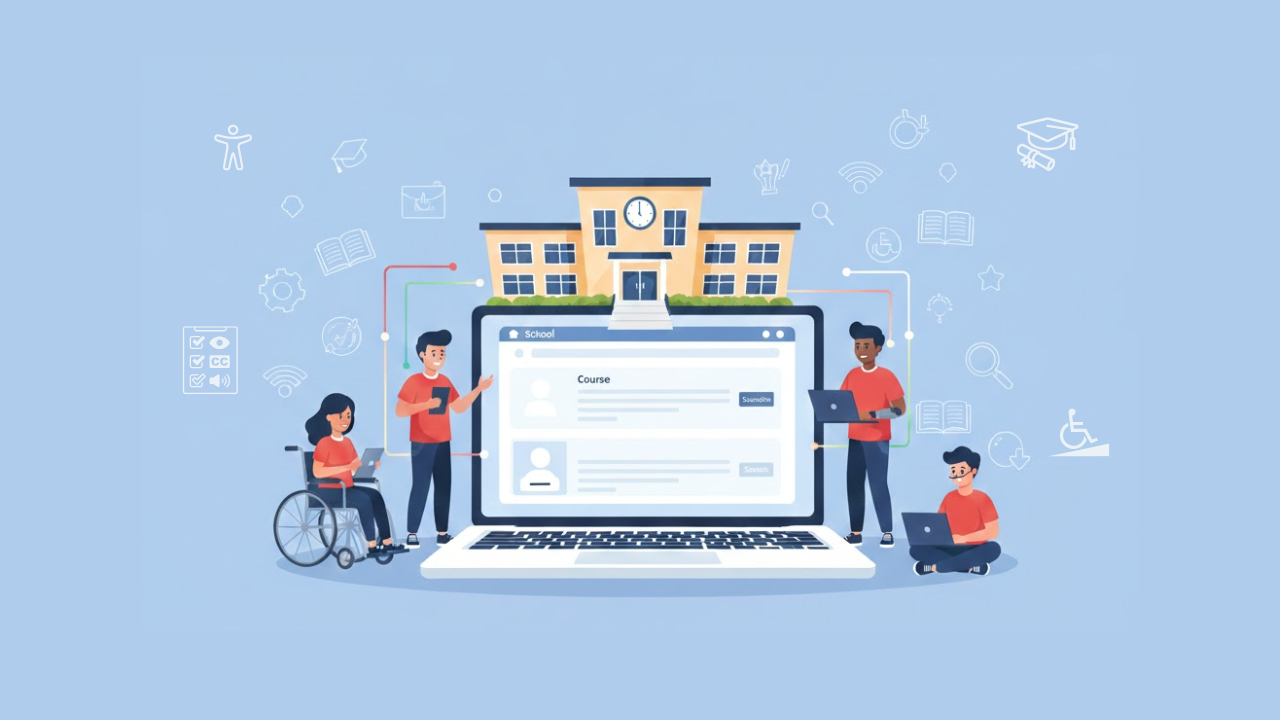
What Website Accessibility Means For A School Website
Website accessibility means people with different abilities and needs can use the website. It focuses on removing barriers that stop someone from finding information, completing a task, or understanding content. When they work on the school website accessibility, they ensure that critical information is accessible to all students, parents, and community members.
On a school site, accessibility usually covers things like:
Reading news posts, menus, and announcements
Using the navigation menu and search
Filling out enrollment, contact, or permission forms
Downloading and reading documents like PDFs
Watching videos and understanding audio content
Accessing calendars, maps, and event pages
A key point is that accessibility is not only about disability. It also helps people with older devices, slow internet, small screens, or temporary limitations, such as a broken arm or an eye infection. When a website is easier to use, everyone benefits.
Why Accessibility Matters More For Schools Than Most Websites
Schools serve the public. They communicate with extensive and diverse communities, often in high-stress situations. Families may be searching for emergency updates, transportation changes, closures, mental health support, or special education resources. That is why accessibility in schools should not be treated as optional. It is part of responsible communication.
When a school website is hard to use, the harm is not just “bad user experience.” It can mean missed deadlines, missed services, and missed learning support. It can also lead to more calls and emails to staff, which increases workload and delays help for families.
Schools also have a unique challenge. Many different people create a lot of website content. That might include office staff, communications teams, teachers, and coaches. Without clear standards, accessibility issues can appear quickly and spread across many pages.
The Legal Landscape In Simple Terms
In the United States, digital accessibility is closely tied to disability rights protections. Public schools and many educational bodies are subject to legal duties related to equal access. The U.S. Department of Justice explains that the ADA applies to ensuring accessible services and provides guidance on web accessibility.
In April 2024, the Department of Justice published a final rule for ADA Title II that sets specific requirements for web content and mobile apps provided by state and local governments. That rule is relevant because public education institutions are commonly part of state and local government systems.
The U.S. Department of Education also provides resources on technology accessibility and explains that educational institutions have legal obligations related to digital accessibility.
This is one reason schools are talking more about ADA compliance today. While this article is not legal advice, it is safe to say that schools are increasingly expected to treat accessibility as part of equal access.
Benefits Of Website Accessibility For Schools
Accessibility brings clear benefits that schools can feel quickly. These benefits show up in learning support, family communication, trust, and day-to-day operations. In short, these are the real accessibility benefits for schools that improve the whole community experience.
1. Better Access To Essential Information
When a school website is accessible, more families can find what they need without assistance. This includes:
Enrollment steps and required documents
Special education services and contacts
Transportation schedules and updates
School calendar and event details
Meal programs, payments, and policies
This is especially important during urgent situations, like weather closures or emergency notices. Accessible information reduces confusion and helps families respond faster.
2. Stronger Parent And Community Engagement
When parents can easily read and use the website, they are more likely to engage. They can understand deadlines, attend events, and stay informed. This improves the relationship between the school and the community.
A website that is easier to use sends a simple message: “We expected you to be here, and we built this for you.”
3. More Student Independence
Students also use school websites, especially in middle school and high school. When content is accessible, students can find learning links, schedules, and resources independently. That supports confidence and reduces reliance on others.
4. Fewer Calls, Emails, And Office Interruptions
When users cannot find information online, they contact staff. That is natural, but it adds up. Accessibility improvements often reduce basic support requests because:
navigation becomes clearer
documents become readable
forms become easier to complete
This reduces workload and gives staff more time for meaningful support.
5. Better Mobile Experience
Many families access school websites on phones. Accessibility practices often improve mobile usability because they favor:
clear structure
larger tap targets
readable text
logical page layouts
Even users without disabilities benefit from a site that works well on small screens.
6. Better Search And Content Organization
Accessibility and good content structure go together. Using proper headings, clear link text, and well-organized pages helps both humans and search tools understand your content.
This means families can find information faster, even if they arrive from a search engine rather than your homepage.
7. Reduced Risk And Stronger Compliance Posture
Following accessibility standards can reduce the risk of complaints and compliance problems. It also supports long-term planning by providing a straightforward method for assessing and improving content. This is one of the most significant benefits of website accessibility for schools, because compliance is easier when accessibility is built into daily website updates.
What Standards Schools Usually Follow
Most organizations use WCAG (Web Content Accessibility Guidelines) as the practical standard for accessibility work. The W3C publishes WCAG and is widely used to guide accessibility improvements. WCAG 2.2 was published as a W3C Recommendation in October 2023, and it adds new success criteria on top of WCAG 2.1.
Many policies and programs still focus on WCAG 2.1 as a baseline, while also learning from WCAG 2.2 updates. WCAG versions matter most when you are creating a consistent checklist for design, content, and development.
The main idea is simple: use a recognized standard, aim for steady improvement, and test real user tasks.
Where To Start If Your School Website Has A Lot Of Content
Schools often have years of pages and files. Trying to fix everything at once can feel impossible. A better approach is to start with the most critical areas and improve in steps.
Start With High-Impact Pages
Focus first on pages that serve many people or support essential services, such as:
Admissions and enrollment
Contact pages and staff directories
Calendars and closures
Student services and counseling
Special education and support resources
Then Focus On Common Document Types
Find the most downloaded or most used document categories, such as:
registration forms
policy documents
permission slips
newsletters and announcements
Make sure these are readable and structured.
Then Focus On Repeating Templates
If the same layout is used across many pages, improving it benefits the entire site. Templates often include:
navigation menus
headers and footers
sidebars
event listings
Fixing templates is efficient because improvements are repeated across the site.
Practical Accessibility Improvements That Help Immediately
Accessibility can feel technical, but many fixes are straightforward. Here are improvements that often deliver fast results for web accessibility for school websites without needing a complete redesign.
1. Improve Headings And Page Structure
Use clear, well-ordered headings. This helps screen reader users and allows everyone scan the page.
2. Use Clear Link Text
Avoid links that say “click here” or “read more” with no context. Instead, make links describe the destination.
3. Make Images Useful To Everyone
If an image is decorative, it may not need extra text. But if it contains information, that information must also exist as text on the page.
4. Ensure Good Color Contrast
Text should be easy to read. Contrast improvements help many users, including older adults and people using phones in bright light.
5. Make Forms Easy And Clear
Forms should have labels, clear instructions, and helpful error messages. Users should not have to guess what went wrong.
6. Ensure Keyboard Navigation Works
Users should be able to access all menus, buttons, and links using only the keyboard. This is one of the most essential practical checks.
Conclusion
Website accessibility is one of the most practical improvements a school can make. It supports equal access, improves communication, reduces support workload, and makes essential services easier to reach. It also makes websites more usable on mobile, helps users find information faster, and supports a stronger compliance posture as digital access expectations continue to grow.
The best approach is steady and simple: start with high-impact pages, fix common barriers, improve documents, and build habits that keep new content accessible.
If you are building long-term accessibility practices, Inclusive Web is one resource in this space. Still, the biggest wins come from consistent standards and daily content discipline.
Have Questions?
We Are Inclusive Web
We work with our clients to simplify digital accessibility to ensure your web and digital applications are ADA compliant and accessible to all your users. If you’d like to talk about your digital accessibility, you can email us at matthew@inclusiveweb.co, leave us a note here, or schedule a call here to discuss. Let’s make the web inclusive to all!