
The Role of WCAG Guidelines in Online Banking Accessibility
Online banking is now part of everyday life. People check balances in the morning. They pay bills at night. They transfer money while traveling. Many customers depend fully on websites and mobile apps to manage their finances. Because of this, online banking must work for everyone.
Some users cannot see clearly. Some cannot hear audio. Some cannot use a mouse. Others may process information more slowly. If online banking does not support these needs, it creates barriers. Those barriers can stop people from accessing their own money.
This is where WCAG guidelines become important. WCAG gives clear rules for building websites that everyone can use. In this article, you will understand what WCAG is, why it matters in banking, and how it shapes online banking accessibility features in real ways.
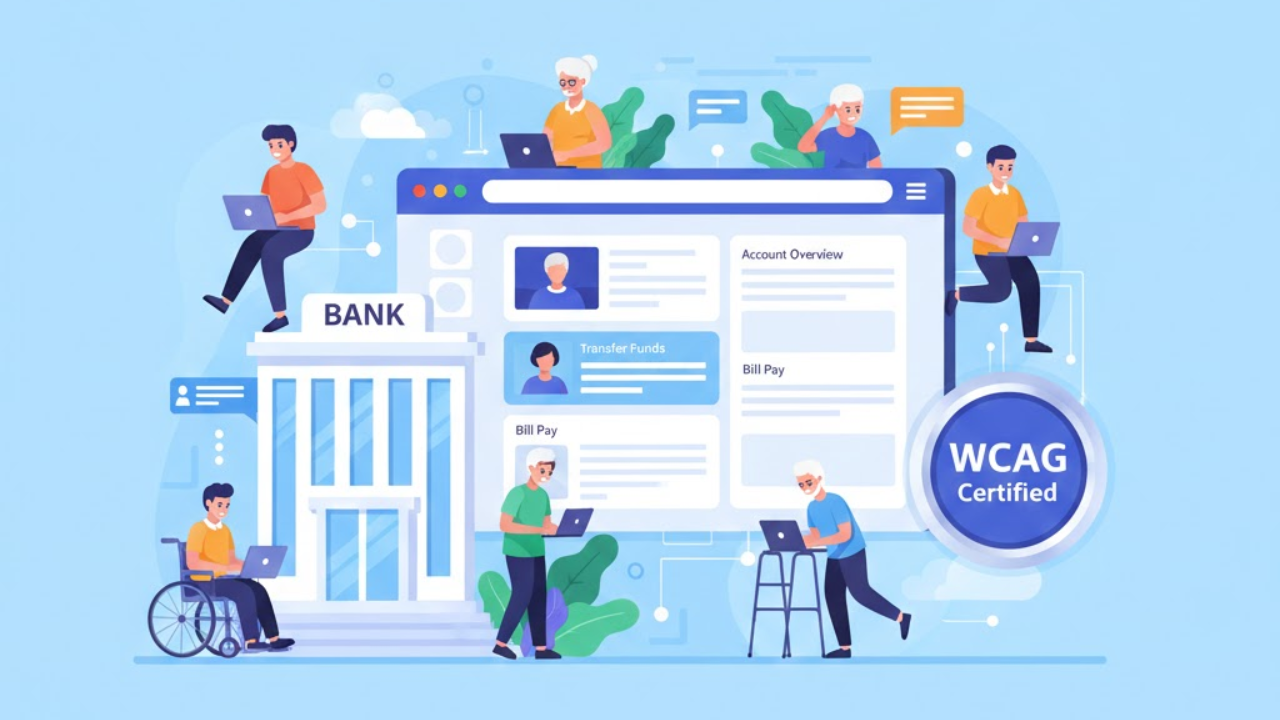
What Are WCAG Guidelines?
WCAG stands for (Web Content Accessibility Guidelines). These guidelines were created to help make websites usable for people with disabilities. They are used around the world. Many laws refer to WCAG when defining digital accessibility standards.
WCAG is built on four simple principles. A website must be:
Perceivable
Operable
Understandable
Robust
These principles guide the design of content. They are not technical for the sake of being technical. They focus on real user needs.
When banks follow WCAG, they build stronger Accessibility features in online banking.
Why WCAG Matters in Online Banking
Banking is not optional. It is essential. People rely on digital banking in their daily lives. If someone cannot log in or confirm a payment, it creates serious stress.
WCAG helps banks remove these barriers. It provides a clear framework. It answers the question many banks ask: how to improve online banking services in a way that truly supports all users.
Without guidelines, accessibility can feel confusing. WCAG removes that confusion. It sets measurable standards.
Principle One: Perceivable
Perceivable means users must be able to see or hear the content.
In online banking, this includes:
Text that is easy to read
Strong color contrast
Alternative text for images
Captions for videos
If a banking dashboard shows a graph without a description, a blind user cannot understand it. If an error message appears in faint text, a low-vision user may miss it.
Principle Two: Operable
Operable means users can navigate and interact with the website.
Many people cannot use a mouse. They rely on a keyboard or assistive device. If a banking site requires mouse clicks to complete a transfer, it creates a barrier.
WCAG requires:
Full keyboard navigation
Clear focus indicators
Buttons that respond properly
No traps that block movement
In online banking, operable design ensures users can move from login to payment confirmation without getting stuck.
Strong operability is central to accessibility features that banking platforms must support.
Principle Three: Understandable
Understandable means users can comprehend the information and the interface.
Banking websites often use complex language. WCAG encourages simple writing and clear instructions.
For example:
Instead of “Authentication failed,” write “Your password is incorrect. Please try again.”
Error messages must explain what happened and how to fix it. Forms must include clear labels. Instructions must appear before users enter information.
Clear design reduces mistakes. It lowers frustration. It supports all users, especially those with learning difficulties.
This is how WCAG strengthens Online banking accessibility features in practical ways.
Principle Four: Robust
Robust means the website must work with different devices and assistive technologies.
Online banking should function smoothly on:
Desktop computers
Mobile phones
Tablets
Screen readers
Voice control systems
If a new update breaks compatibility with screen readers, accessibility is lost. WCAG requires that websites be built in a way that supports current and future tools.
WCAG Levels and Banking Compliance
WCAG is set up in levels. Think of them as steps of strength.
Level A covers the basics. It fixes the biggest barriers, but it does not cover everything most banks need. Level AAA is the highest level, but it can be difficult to meet everywhere on a large banking platform.
How WCAG Improves Real Banking Tasks
WCAG matters because it affects everyday actions. It affects what happens when someone tries to manage money online.
Logging in
A good login experience has clear labels for the email and password fields. It also shows a visible focus outline as users move with the keyboard. If something goes wrong, the error message should say what happened in plain words and what to do next.
Transferring money
Money transfers depend on the form. WCAG pushes banks to label each field clearly, so users know what to enter. It also supports clear confirmation screens, so users can review details before submitting. Buttons must be reachable and usable with a keyboard and screen reader.
Viewing statements
Statements should not force users to squint or struggle. Text should resize without breaking the page. Charts should not rely only on visuals.
These changes are not just “nice design.” They help customers complete banking tasks without needing assistance from others.
Mobile Accessibility and WCAG
A large number of customers bank only on their phones. WCAG still applies here. The same barriers can appear on mobile, just in different ways.
Mobile accessibility means text can be enlarged without the layout collapsing. It means buttons are big enough to tap without mistakes.
WCAG encourages flexible design so customers can access services from any device, not just desktop computers.
Common Challenges in Meeting WCAG
Many banks struggle because accessibility is handled too late. Teams build a feature first and try to “patch” accessibility later. That approach usually misses important issues.
Common problems include low-contrast text that is hard to read, forms without proper labels, pop-ups that trap keyboard users, and updates that break screen reader support.
WCAG helps by providing teams with a clear checklist to follow. It turns accessibility into a standard process instead of a last-minute scramble.
The Business Impact of Following WCAG
WCAG is not only about meeting rules. It improves the platform's user experience for customers.
Accessible banking sites are easier to navigate. They are simpler to understand. They are faster to use because users do not get stuck. They also build trust, because customers feel the bank cares about their experience.
When banks invest in accessibility, they often see fewer support calls and fewer complaints about confusing steps. Accessibility is the right thing to do, and it also makes the product stronger.
The Human Side of WCAG in Banking
Behind every accessibility rule is a real person.
A blind user wants to check their account balance privately.
A user with limited hand movement wants to pay a bill without assistance.
A person with hearing loss wants to understand loan information clearly.
WCAG protects independence. It ensures financial access does not depend on physical ability.
Accessibility is not just about design. It is about dignity.
Conclusion
WCAG guidelines play a central role in online banking accessibility. They provide clear standards for building digital platforms that work for everyone. By following the principles of perceivable, operable, understandable, and robust design, banks can remove barriers and enhance the accessibility of online banking features.
WCAG offers a practical approach to improving online banking services in a fair and effective way. It supports legal compliance, better user experience, and stronger trust.
Organizations focused on digital inclusion, such as Inclusive Web, continue to emphasize the importance of following accessibility standards in financial services. The goal remains simple and clear. Online banking must be accessible to every customer, without barriers and without confusion.
Have Questions?
We Are Inclusive Web
We work with our clients to simplify digital accessibility to ensure your web and digital applications are ADA compliant and accessible to all your users. If you’d like to talk about your digital accessibility, you can email us at matthew@inclusiveweb.co, leave us a note here, or schedule a call here to discuss. Let’s make the web inclusive to all!