
Digital access is now a basic part of doing business and serving the public. People use websites, mobile apps, online forms, PDFs, payment portals, and service dashboards every day. If those tools are hard to use with a screen reader, keyboard, captions, Zoom, or voice control, many users are blocked from equal access.
That is why this topic matters in 2026. Digital Accessibility Compliance California is becoming increasingly important because California has state rules for public entities, and federal disability law also affects digital access. At the same time, businesses in California face real legal risk when their digital services create barriers for people with disabilities.
So, a clear digital accessibility compliance guide for California businesses and public teams to follow is no longer optional. It is part of basic risk control and good service design.
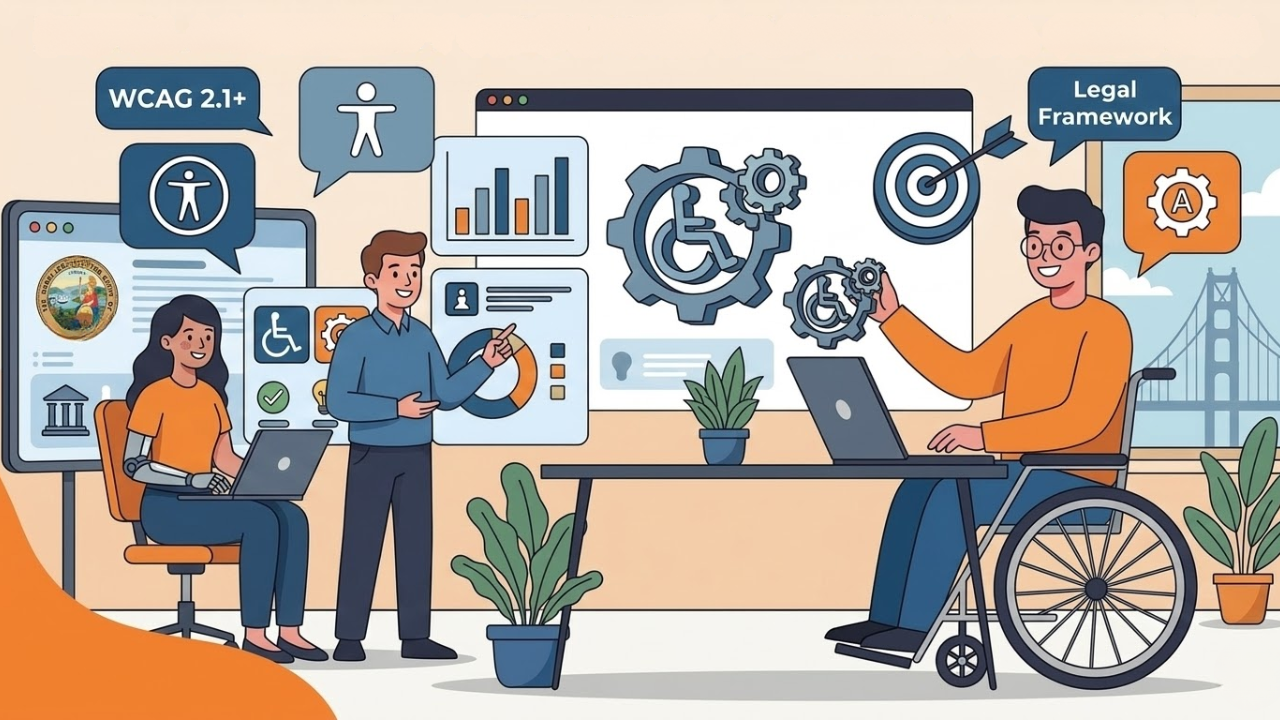
What Is Digital Accessibility
A simple way to answer what digital accessibility is: it means people with disabilities can use websites, apps, documents, and online services without being shut out.
That includes people who are blind, have low vision, are deaf or hard of hearing, have limited hand movement, use speech input, have cognitive disabilities, or need more time and a clearer structure to complete tasks.
Accessibility is not only about screen readers. It also includes keyboard access, readable color contrast, captions, form labels, clear headings, accessible PDFs, error help, and mobile usability.
Why Digital Compliance Matters In California In 2026
In California, digital compliance matters for both legal and practical reasons.
For state and local governments, the law is very clear. In 2024, the U.S.
Department of Justice issued a final ADA Title II rule for web content and mobile apps provided by state and local governments. That rule sets (web content accessibility guidelines) WCAG 2.1 Level AA as the technical standard, with compliance dates in April 2026 or April 2027, depending on population size. DOJ also published planning guidance in 2025 to help governments prepare before those deadlines.
California also has its own state requirements for state entities. AB 434 added California Government Code section 11546.7, which requires agency and state entity leaders to post a signed certification on the homepage stating the site complies with Government Code sections 11135 and 7405 and WCAG 2.0 Level AA or any later version at Level AA.
For private businesses, the picture is different but still serious. The ADA’s public-accommodation guidance says businesses open to the public must ensure people with disabilities can access their websites.
California’s Unruh Civil Rights Act requires full and equal accommodations, advantages, facilities, privileges, or services in all business establishments, and a violation of the ADA is also a violation of the Unruh Act. California civil rights materials also note that courts have applied Unruh accessibility rules to websites associated with businesses that have physical locations.
Who Needs To Follow This Accessibility Guide CA
A practical accessibility guide that CA teams can use should separate organizations into three groups.
1. State And Local Governments
These groups face the clearest 2026 and 2027 federal deadlines under the ADA Title II web and app rule. In California, state entities also have AB 434 certification duties.
2. Federal Contractors And Federal Agencies
These groups often work under Section 508 rules for electronic and information technology. Section 508 still points to the Revised 508 Standards, which use WCAG 2.0 Level AA for web content.
3. Private Businesses
Private businesses do not have one single California statute that says “follow WCAG 2.1 by this exact date” in the same way the 2024 Title II rule does for government. But they still face ADA and Unruh Act exposure when digital barriers block access. That is why most risk-aware companies in California use
WCAG Level AA as their working target. That is an informed compliance practice based on ADA guidance and California discrimination law, even though the exact legal path for private websites can depend on the facts of the case.
California Web Accessibility Guide: The Standards Most Teams Use
A useful California web accessibility guide should begin with one core standard: WCAG Level AA, the level most sites must meet under ADA compliance levels.
Why Level AA? Because it is the level used in the new ADA Title II rule for public entities. It is also the level of California state certification materials referenced through WCAG 2.0 Level AA or a later version with at least Level AA success criteria.
In practice, this means teams should review:
keyboard access
text alternatives for images
captions and transcripts
color contrast
clear focus indicators
accessible forms and error messages
heading structure
accessible PDFs and office files
mobile app support
screen-reader compatibility
target size and touch usability
accessible login and authentication flows
Those are not “nice extras.” They are the day-to-day basics of accessible digital service.
How To Stay Accessibility Compliant In 2026
If your team is asking how to stay accessibility compliant, the answer is not to run one scanner and move on. Compliance is a process.
1. Inventory Your Digital Assets
Start with your public website, mobile apps, PDFs, forms, portals, videos, booking tools, payment paths, and third-party tools. DOJ’s planning materials for governments stress the need to understand what digital content you actually have before you can fix it.
2. Set A Standard
Choose the version and target level you will use internally. For most California organizations in 2026, WCAG 2.1 Level AA is the clearest baseline because it aligns with the ADA Title II rule for public entities. Public-sector California teams should also review state web standards and AB 434 requirements.
3. Audit The High-Risk Journeys First
Do not begin with random pages. Start with the tasks users need most:
login
checkout or payment
contact forms
appointment booking
account access
document downloads
customer support
job applications
4. Fix Documents, Not Just Web Pages
Many teams forget to include PDFs, Word files, and other attachments. Section 508 guidance makes clear that non-web electronic documents are also covered in federal accessibility scoping rules. California public teams should not assume a linked file is outside the accessibility scope.
5. Test With Real Methods
Use automated tools, but do not stop there. Also test with keyboard-only, screen readers, Zoom, reflow, captions, color contrast checks, and mobile accessibility settings. Automated tools for testing web accessibility catch only part of the problem. That is consistent with official accessibility development guidance and evaluation practice.
6. Build Accessibility Into Procurement
If you buy software, design work, plugins, booking systems, or document tools, they must be accessible from the start. Section 508 procurement guidance shows how closely accessibility is tied to government buying decisions. The same logic helps private teams lower future remediation costs.
7. Train Content Teams
A compliant site can become noncompliant fast if staff upload inaccessible PDFs, add unlabeled images, or publish broken forms. Accessibility is not only a developer issue. Editors, marketers, procurement teams, and document owners all affect it. California’s Department of Rehabilitation also offers accessibility training resources to help you get started.
Conclusion
A strong digital accessibility compliance guide California teams can trust in 2026 should do one thing well: turn a confusing legal topic into clear action. Start by understanding what is digital accessibility. Then identify which rules apply to your organization. Public entities should pay close attention to the ADA Title II web rule and California state standards.
Private businesses should take the ADA and Unruh Act seriously and work toward accessible digital services before complaints force the issue. Most of all, remember that digital compliance is not only about legal defense. It is about making websites, apps, forms, and documents usable for real people every day.
Inclusive Web is one example of the kind of specialist resource many organizations use when they need help turning accessibility standards into practical digital work.
Have Questions?
We Are Inclusive Web
We work with our clients to simplify digital accessibility to ensure your web and digital applications are ADA compliant and accessible to all your users. If you’d like to talk about your digital accessibility, you can email us at matthew@inclusiveweb.co, leave us a note here, or schedule a call here to discuss. Let’s make the web inclusive to all!